Desk Console App
Turn a Badge Pirates badge you already own into a desk dashboard: weather, a world clock, stocks, crypto, live sports scores, and Home Assistant control, all on one small screen.
Install in 3 steps
Download & run the installer
Windows: double-click the .exe, leave "start at
login" checked if you want it running automatically. macOS: open
the .dmg and drag the app to Applications. Linux:
sudo dpkg -i the .deb, then launch
Badge Console Host from your app menu. No Node install needed,
the runtime's bundled in.
Pair with your badge
The app opens its config page at 127.0.0.1:4173
automatically. On the badge, open Cards → Pair to get a 6-digit
code, type it in, and you're paired. The badge's real device
token never leaves the badge.
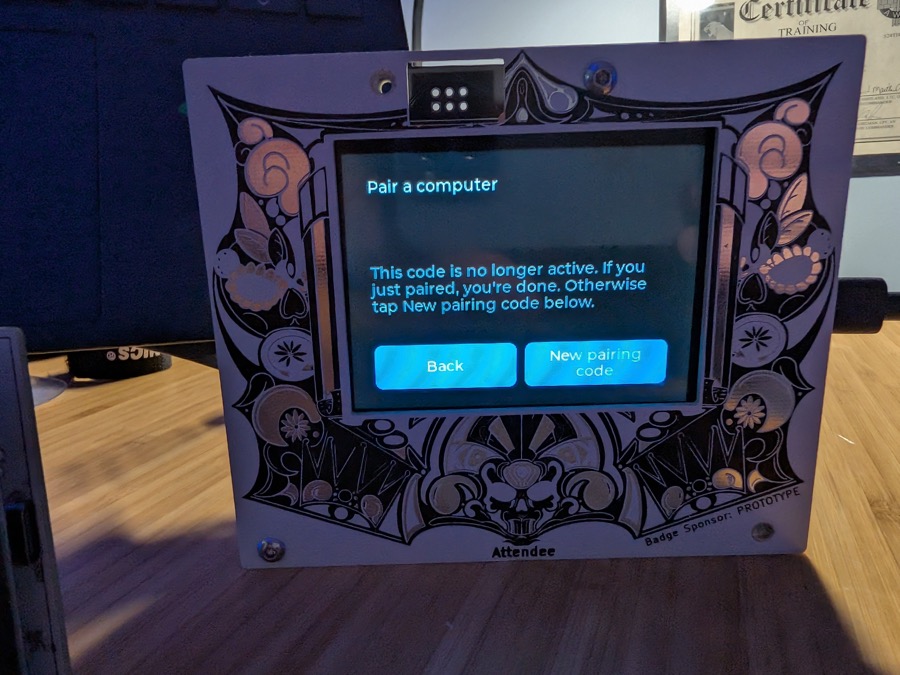
Turn on your feeds
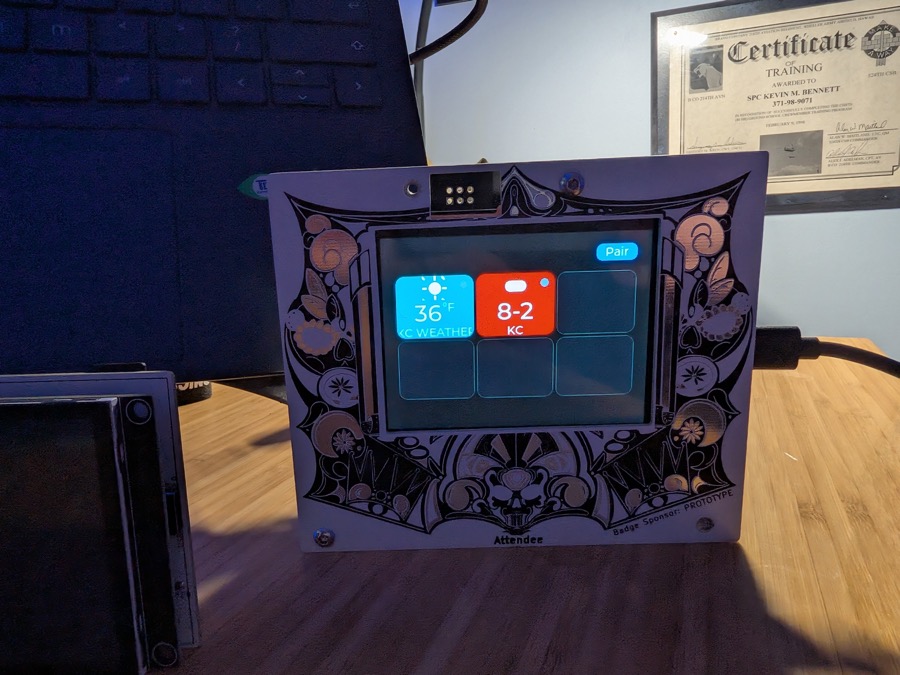
Flip on weather, stocks, sports, Home Assistant, or whatever else you want. Each feed only talks to its own provider, and nothing else leaves your machine. Cards show up on the badge within a few seconds.
Windows installers aren't code-signed yet, so Windows SmartScreen will show "Windows protected your PC" on first run. Click "More info → Run anyway." macOS isn't notarized yet either, so Gatekeeper will say the app is from an unidentified developer. Right-click → Open once to get past it. Code signing is on the roadmap.